Guidebook
Generator of an Accessibility Statement
LMS Check
  • Text Content
    • General Information on Texts
    • Headings
    • Paragraphs
    • Quotations
    • Lists
    • Tables
    • Cross-references
    • Links
    • Formulas
    • Code
  • Color
    • Use of Color
    • Contrast of Texts
    • Contrast of Buttons and Graphics
  • Images and Graphics
    • Informative and Functional Images
    • Decorative Images
  • Audio Elements
    • Formatting Audio Elements
    • Media Alternatives for Audio Elements
    • Mediaplayer
  • Video and Animation
    • Videoplayer
    • Caption
    • Audiodescription
    • Full-Text Alternative
    • Embed Video
  • Interactive Elements
    • Accordeon
    • Interactive Image
    • Map
    • Buttons
    • Form Fields
    • Custom Elements
    • JSX-Graph
  • PDF
    • Export PDF Document
    • Post-Processing with Adobe Acrobat Pro
    • Accessibility Check
  • Course layout
    • Stylesheets (CSS)
    • Scripts (JS)
  • Accessibility Testing
  • Upload Accessibility Statement to LMS
    • Create
    • Update

Accordeon

The accordion type is completely barrier-free. No criteria need to be taken into account.

The following criteria are taken from the checklist:
  • The waiting time is at least 334ms.

If the waiting time is less than 334ms, the carousel flickers and can cause epileptic seizures. To ensure that the content is easy to read, the waiting time should be significantly longer.

Type Carousel

Barriers of the Carousel

The animation of the carousel cannot be stopped by users. This not only makes reading more difficult for people with cognitive impairments, but also has a generally distracting effect.
The waiting time cannot be changed by users. However, this is important because people with cognitive impairments, reading difficulties or poor language skills often need more time to grasp all the content.

Due to the numerous barriers, the carousel should not be used!

Markup of Accordeon

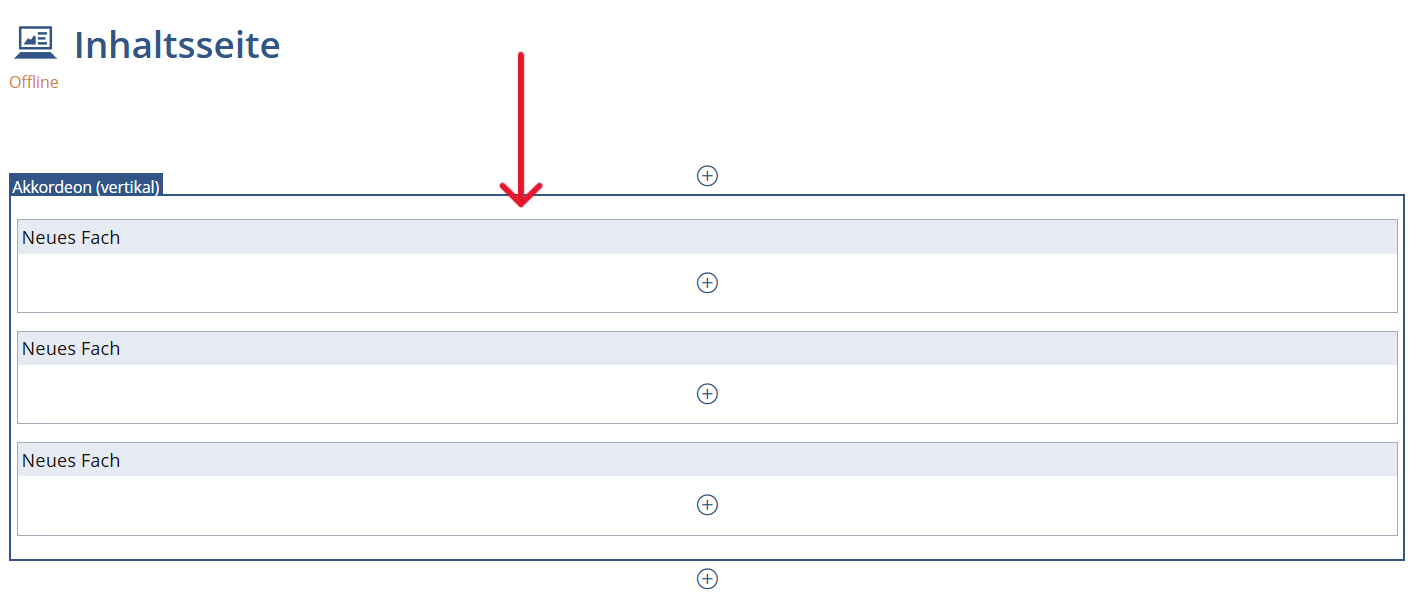
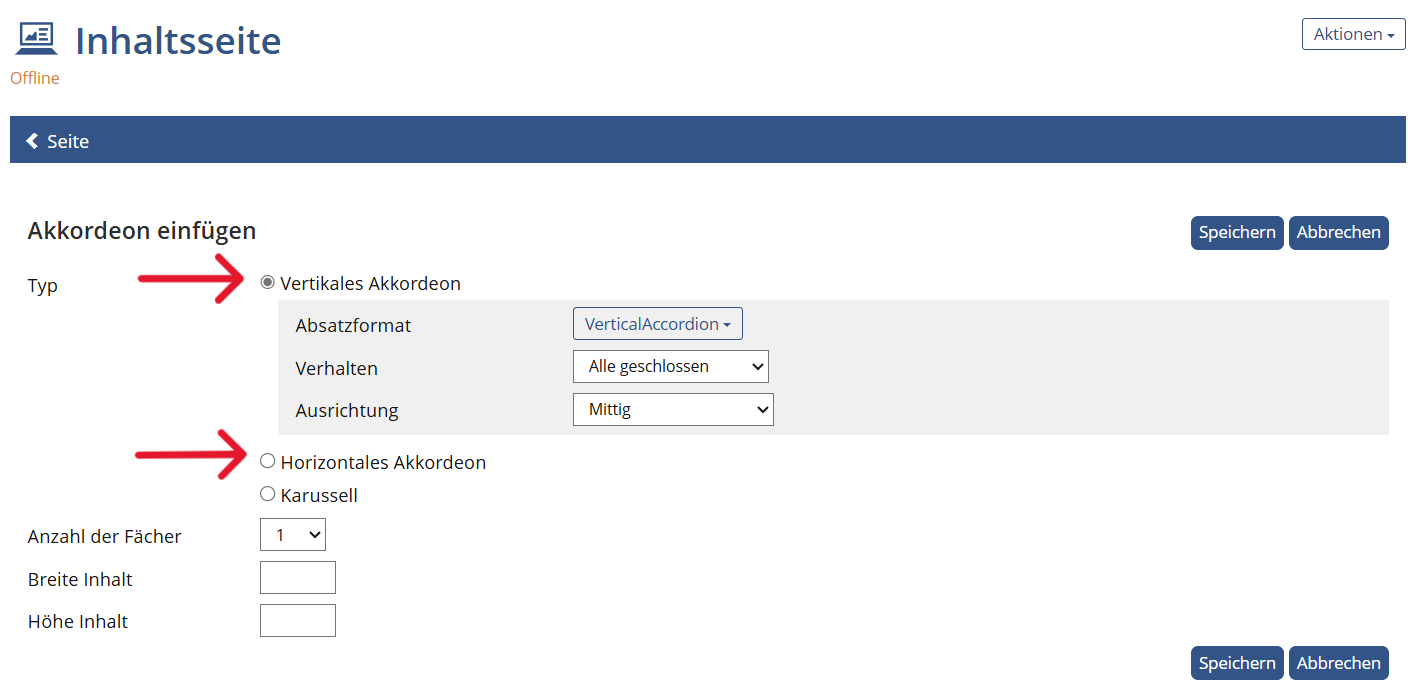
Insert Type Accordion

  1. Select your accordion.
  2. Select "Vertical accordion" or "Horizontal accordion" as the type.
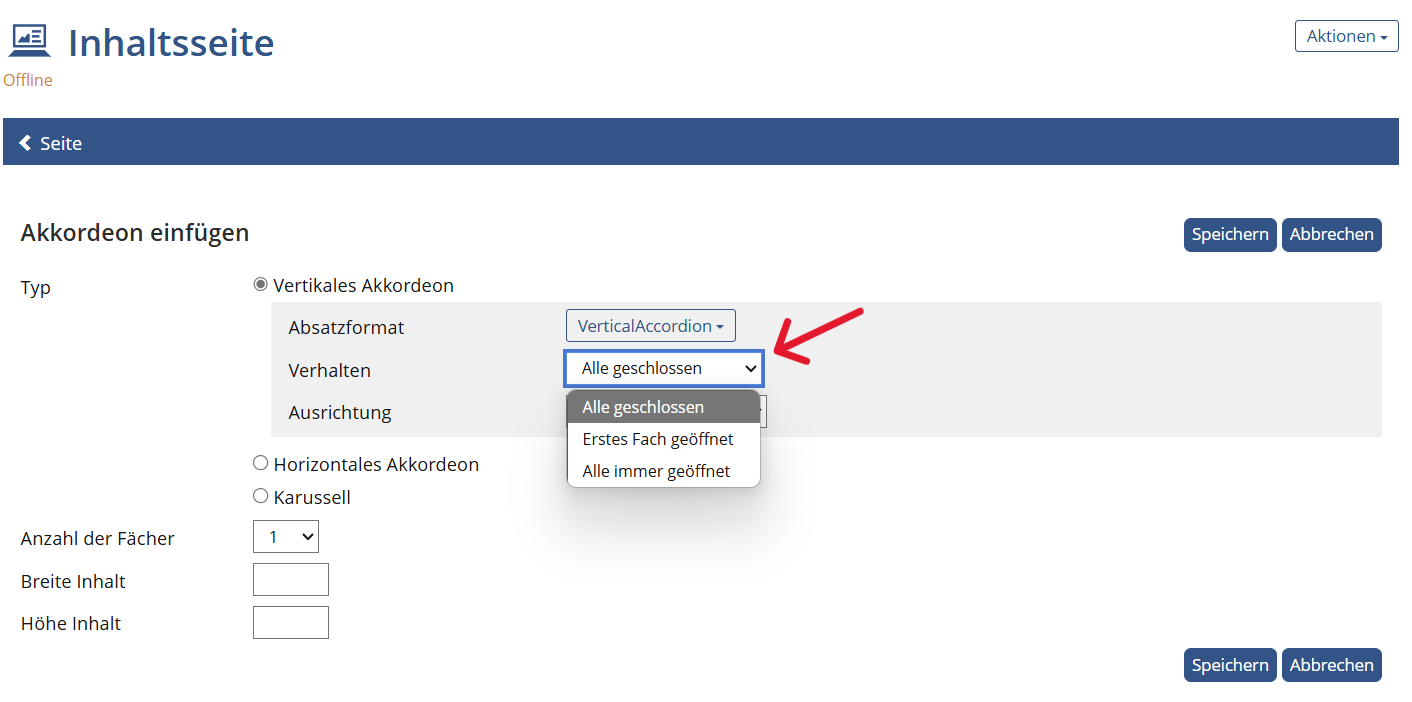
  3. You can select "All closed", "First compartment open" or "All always open" as the behavior. Save your changes.
BITV-Guidelines

  • No flickering
State emblem of the Free State of Saxony: The lettering “Saxony” in black, below the stylized coat of arms of the Free State of Saxony in black on a white background. This measure is co-financed by tax funds on the basis of the budget approved by the Saxon state parliament.

v.0.11.1 - beta

  • Legal Notice
  • Data Protection
  • Accessibility
  • Checklist
  • Guidebook