Audio Description
- For information-bearing visual video content, an audio description or full-text alternative is provided.
- The video player is able to reproduce the additional audio description synchronously to image and sound.
People who are blind or visually impaired cannot understand the visual content of videos at all or only with difficulty. They need an additional verbal description of all relevant content.
Create Audio Description
- Verbal description of visual content during pauses in dialog
- Format: separate MP3 file or create a second audio track with a video editor - ensure synchronization!
- Description of important actions, actors, scene changes, displayed text
- Only information that is important to understand the content
- No description of information that is already mentioned in the audio track
- You can find more detailed information in the Leitfaden zur Erstellung von Audiodeskription im Hochschulkontext (German)
- For information-bearing visual video content, an audio description or full-text alternative is provided.
- The video player is able to reproduce the additional audio description synchronously to image and sound.
People who are blind or visually impaired cannot understand the visual content of videos at all or only with difficulty. They need an additional verbal description of all relevant content.
Create Audio Description
- Verbal description of visual content during pauses in dialog
- Format: separate MP3 file or create a second audio track with a video editor - ensure synchronization!
- Description of important actions, actors, scene changes, displayed text
- Only information that is important to understand the content
- No description of information that is already mentioned in the audio track
- You can find more detailed information in the Leitfaden zur Erstellung von Audiodeskription im Hochschulkontext (German)
Audio descriptions cannot be inserted in ILIAS. A video editing program must be used for this and the video must then be uploaded to ILIAS.
YouTube
Audio descriptions cannot be added to YouTube without a special account. Here you must provide a separate video with the additional explanations in the regular audio track.
Videocampus Sachsen
-
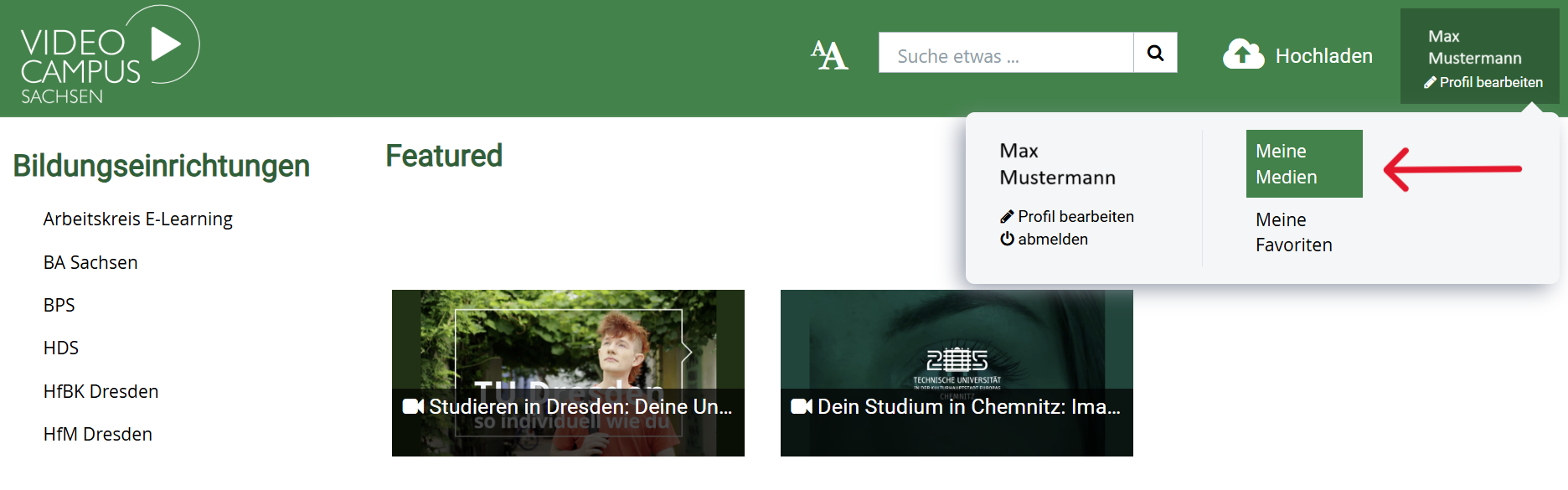
Go to your profile and 'My Media'.
-
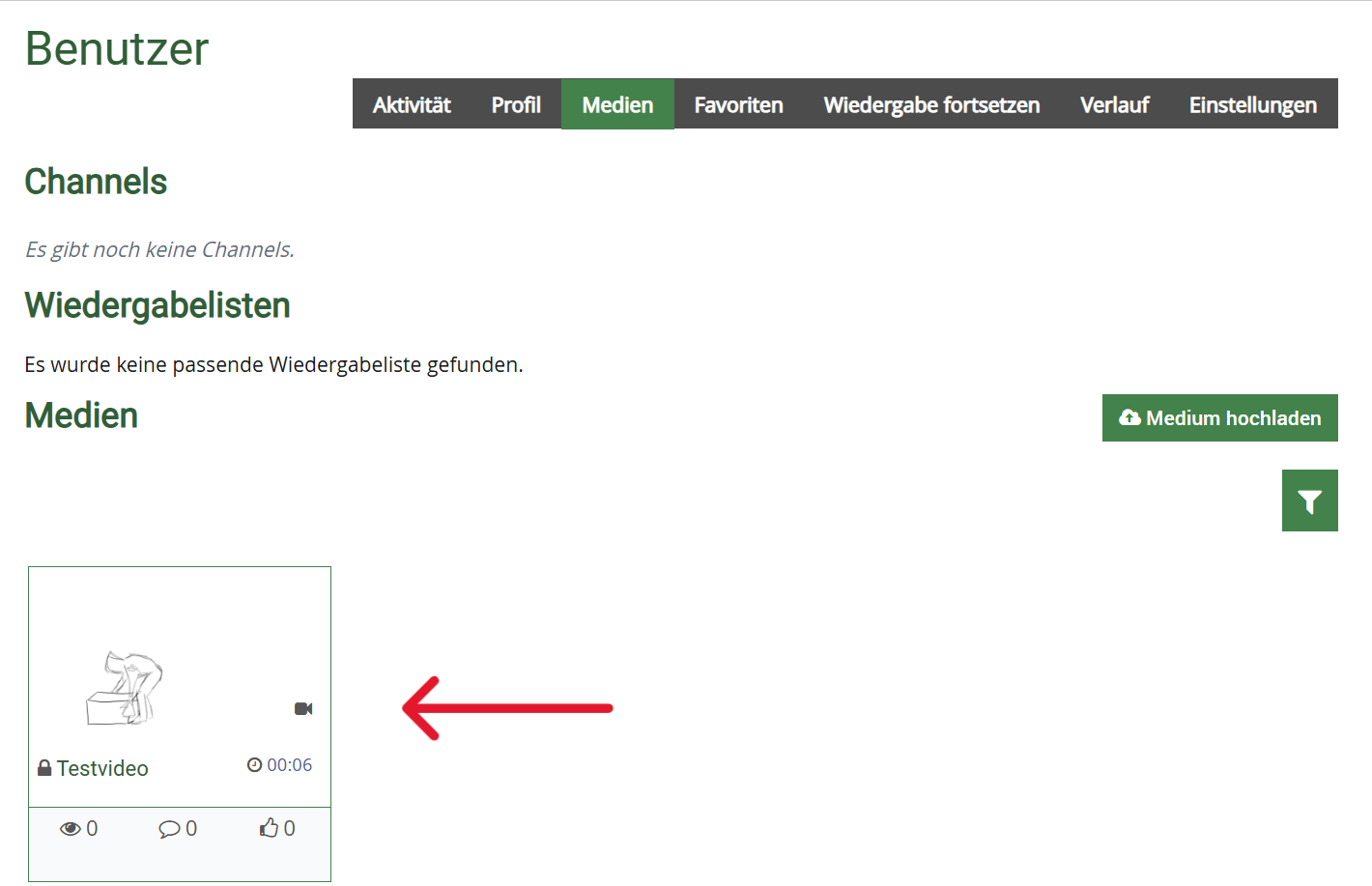
Select your video.
-
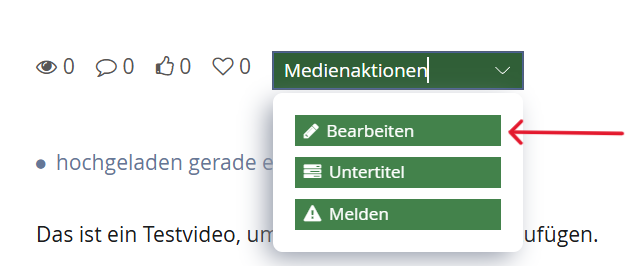
Click on the button 'Media actions' below the video und choose 'Edit'.
-
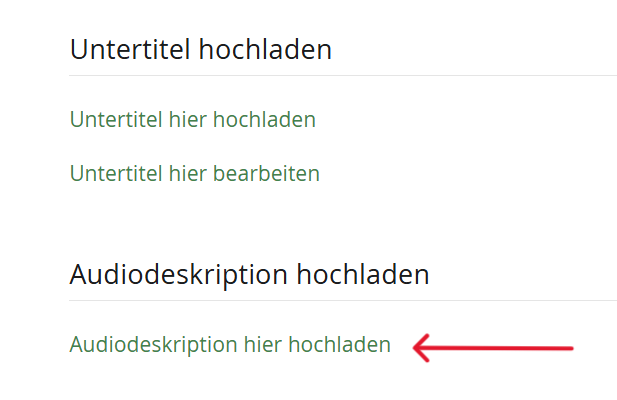
The section 'Upload Audio Description' is at the bottom of the page. There click on 'Upload Audio Description here'.
-
Select your MP3 file with audio description and choose the language. Finally, click on 'Upload'.

- For information-bearing visual video content, an audio description or full-text alternative is provided.
People who are blind or visually impaired cannot understand the visual content of videos at all or only with difficulty. They need an additional verbal description of all relevant content.
Create Audio Description
- Oral description of visual content during pauses in dialog
- Format: separate MP3 file or create a second audio track with a video editor - ensure synchronization!
- Description of important actions, actors, scene changes, displayed text
- Only information that is important to understand the content
- No description of information that is already mentioned in the audio track
- You can find more detailed information in the Leitfaden zur Erstellung von Audiodeskription im Hochschulkontext (German)
Create Audio Description
- Oral description of visual content during pauses in dialog
- Format: separate MP3 file or create a second audio track with a video editor - ensure synchronization!
- Description of important actions, actors, scene changes, displayed text
- Only information that is important to understand the content
- No description of information that is already mentioned in the audio track
- You can find more detailed information in the Leitfaden zur Erstellung von Audiodeskription im Hochschulkontext (German)
Create Audio Description
- Verbal description of visual content during pauses in dialog
- Description of important actions, actors, scene changes, displayed text
- Only information that is important to understand the content
- No description of information that is already mentioned in the audio track
- You can find more detailed information in the Leitfaden zur Erstellung von Audiodeskription im Hochschulkontext (German)
It is not possible to insert a second audio track for audio descriptions in PowerPoint.
Instead, provide a separate video with integrated audio description or at least a full text alternative. Pay attention to synchronization during creation.
- For information-bearing visual video content, an audio description or full-text alternative is provided.
- The video player is able to reproduce the additional audio description synchronously to image and sound.
People who are blind or visually impaired cannot understand the visual content of videos at all or only with difficulty. They need an additional verbal description of all relevant content.
Create Audio Description
- Verbal description of visual content during pauses in dialog
- Format: separate MP3 file or create a second audio track with a video editor - ensure synchronization!
- Description of important actions, actors, scene changes, displayed text
- Only information that is important to understand the content
- No description of information that is already mentioned in the audio track
- You can find more detailed information in the Leitfaden zur Erstellung von Audiodeskription im Hochschulkontext (German)
Audio Descriptions
                    <video controls>
                      <source src="video.mp4" srclang="en" type="video/mp4">
                      <track src="myvideo_en.vtt" kind="descriptions" srclang="en" label="English">
                    </video>