Formulas
Use existing style sheets or markup languages such as LaTeX to create formulas. This enables assistive technologies to output them correctly.
LaTeX: Further information and instructions can be found in the LaTeX-Tutorial (English) or LaTeX-Tutorial (German)
Insert formulas
-
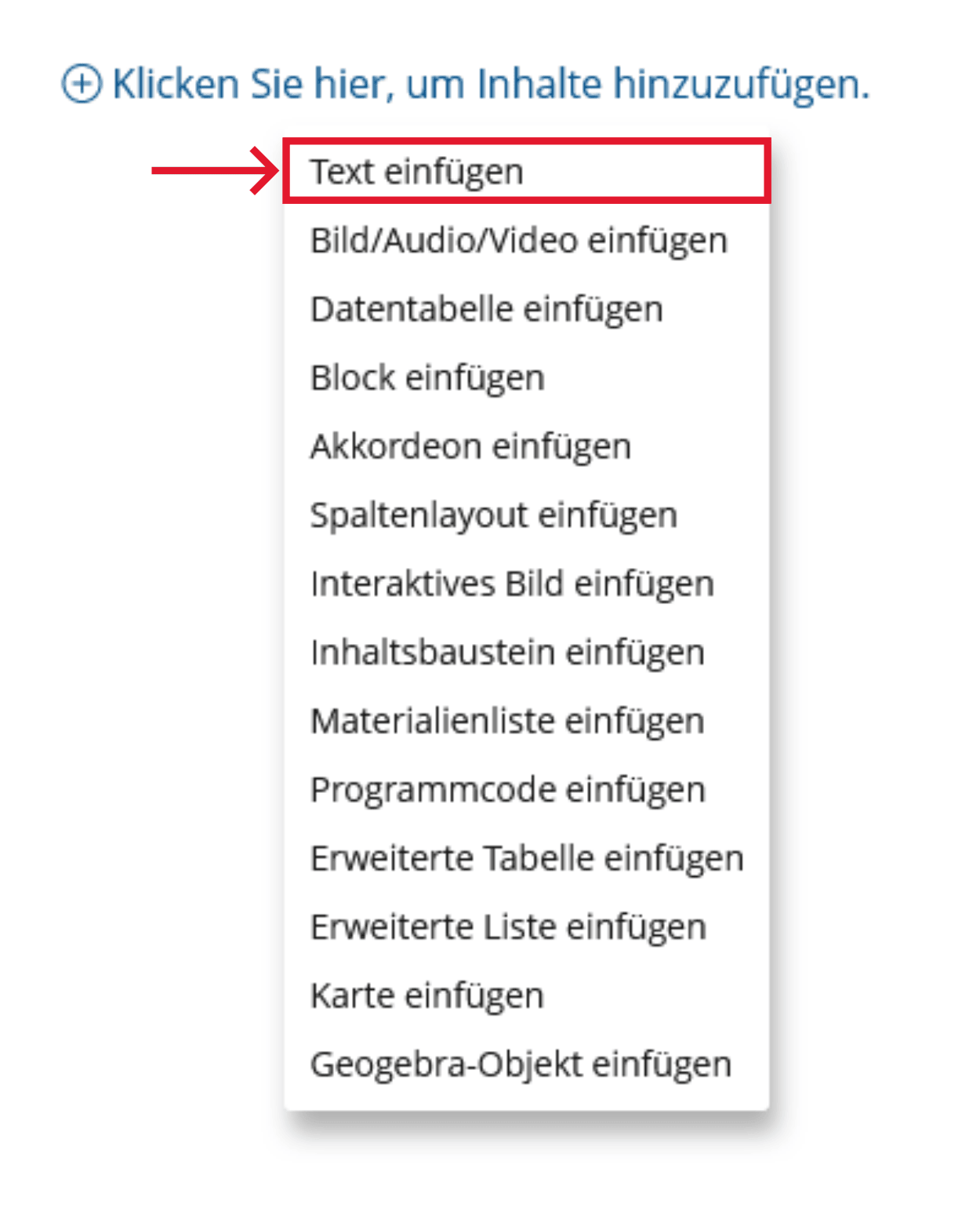
Click the plus sign and choose "Insert Text".
-
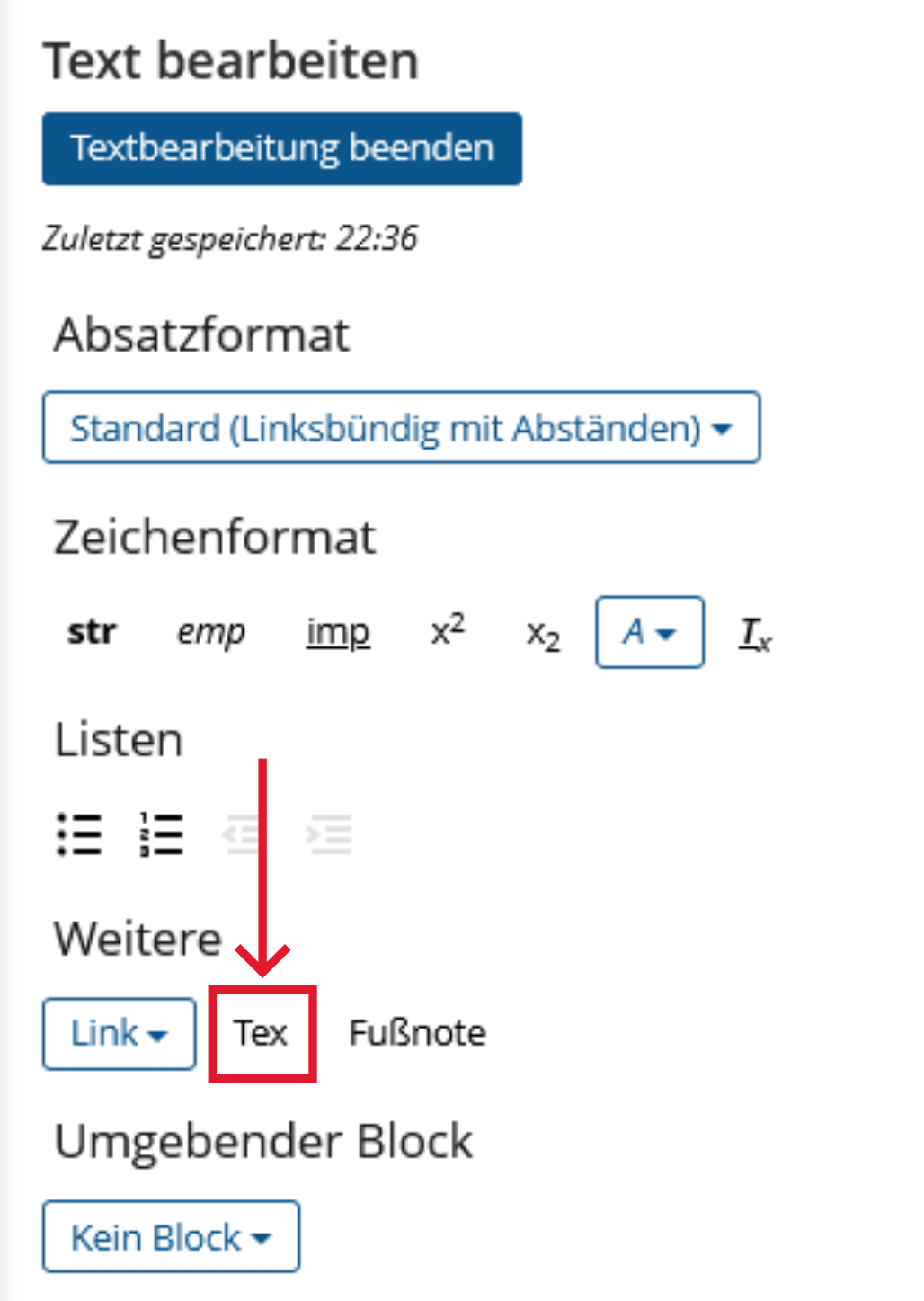
Under "More", click "Tex". Insert your equation between the [tex] and [/tex] tags.
Use existing format templates to create formulas. This enables assistive technologies to display them correctly.
Realization of the criteria
Menu bar: Insert > Symbols > Equation

Use existing style sheets or markup languages such as LaTeX to create formulas. This enables assistive technologies to output them correctly.
LaTeX: Further information and instructions can be found in the LaTeX-Tutorial (English) or LaTeX-Tutorial (German)
Microsoft Office: How to insert formulas in Word
Insert as image: Enter the LaTeX notation or a spoken variant of the formula in the alternative text, for example x² as “x to the power of two”.
Insert formulas
OPAL editor:
-
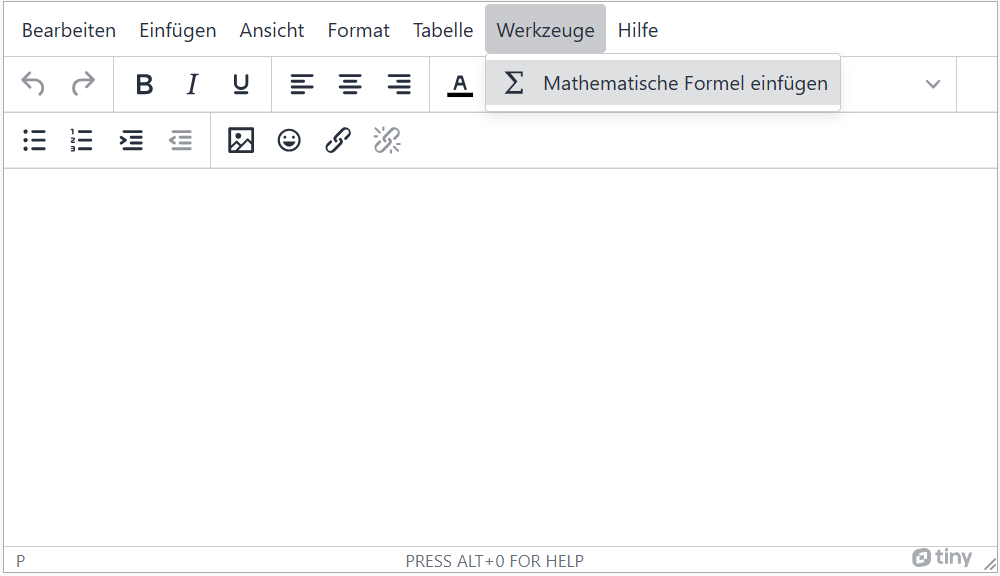
Select 'Tools' in the menu bar and then 'Insert mathematical formula'.
-
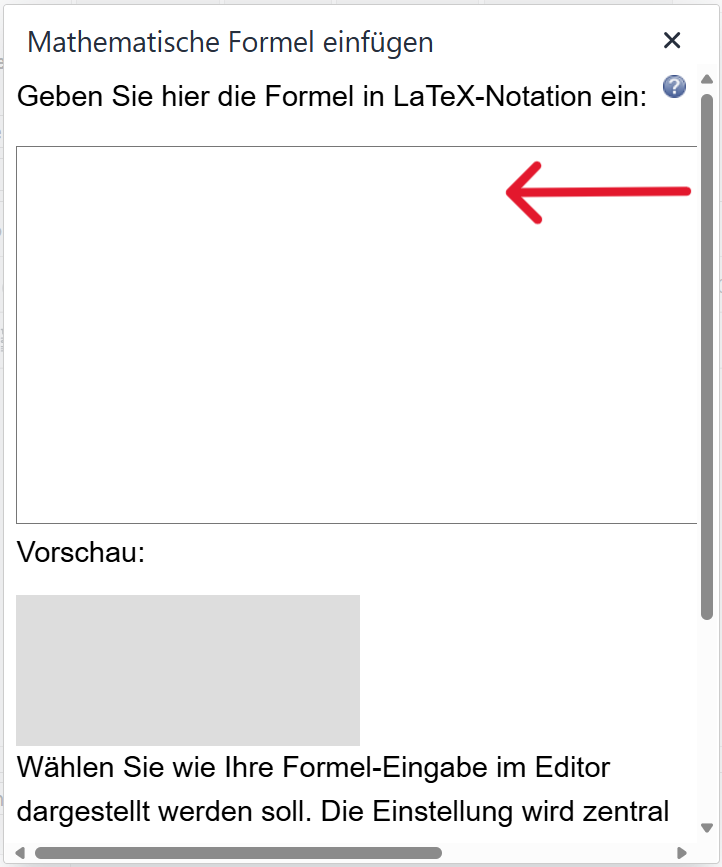
Enter the formula in LaTeX notation in the text field and then click on "Ok".
You can integrate MathML into your HTML code with the <math> tag. You can find more information on marking up formula components here: MathML/Beginner Tutorial
Markup of Formulas
HTML tags: <math>
          <math>
          <mi>a</mi><mo>+</mo><mi>b</mi>
          </math>


Alternatively, you can insert an image of the formula instead. In this case, put the LaTeX or MathML notation of the formula in the alternative text of the image.
Provide Text Alternatives: For complex mathematical formulas, it's important to provide a text explanation so that users who are blind or visually impaired can understand the formula.