Stylesheets (CSS)
The following criteria are taken from the checklist:
- Text-background contrast is sufficient: at least 4.5 : 1 for small font and 3 : 1 for large font.
- Text can be magnified to 200% without loss of content and functionality.
- The page content can be automatically rearranged and thus visually re-ordered when the page is enlarged or the width of the browser window is reduced. It is not necessary to scroll horizontally.
- The contrast between non-text adjacent areas (for example between an icon and its background) is sufficient: at least 3:1.
- Text spacing is adjustable without loss of content and functionality.
- Elements do not flash more than 3 times per second
- Keyboard focus is visible (e.g. with a frame around the element where you are right now).
- If possible, the website should adopt the settings of the user's browser, including foreground and background colors, fonts, font sizes, etc.
Adding stylesheet files
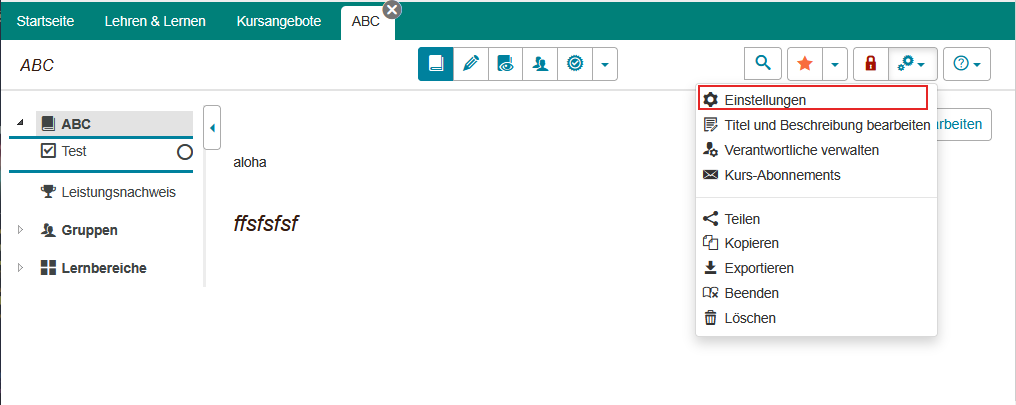
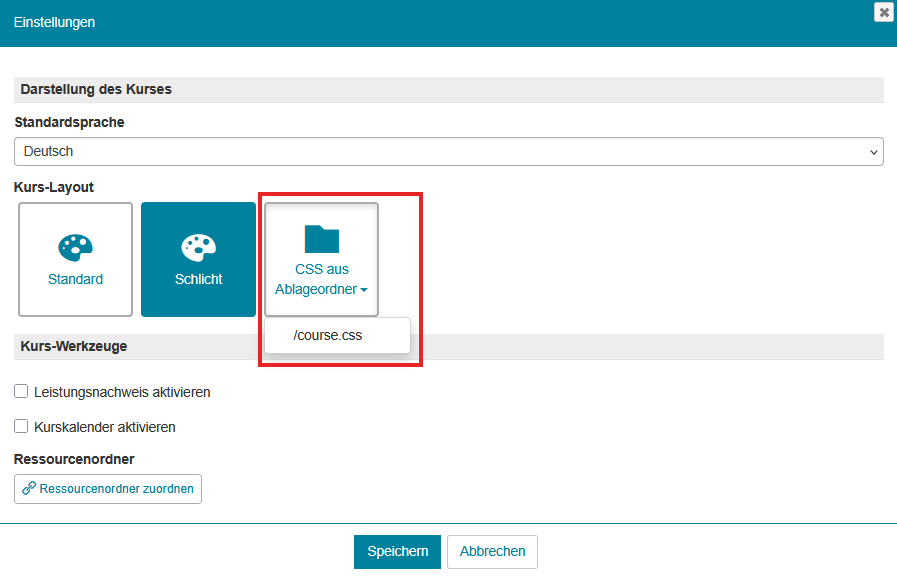
To add your own stylesheet files to a course, they must first be uploaded to the course storage folder. The stylesheet file can then be selected as a style in the course settings.
Settings > Course Layout > from storage folder > select CSS File
The following criteria are taken from the checklist:
- The contrast between non-text adjacent areas (for example between an icon and its background) is sufficient: at least 3:1.
- Text can be magnified to 200% without loss of content and functionality.
- The page content can be automatically rearranged and thus visually re-ordered when the page is enlarged or the width of the browser window is reduced. It is not necessary to scroll horizontally.
- The contrast between non-text adjacent areas (for example between an icon and its background) is sufficient: at least 3:1.
- Text spacing is adjustable without loss of content and functionality.
- Elements do not flash more than 3 times per second
- Keyboard focus is visible (e.g. with a frame around the element where you are right now).
- If possible, the website should adopt the settings of the user's browser, including foreground and background colors, fonts, font sizes, etc.
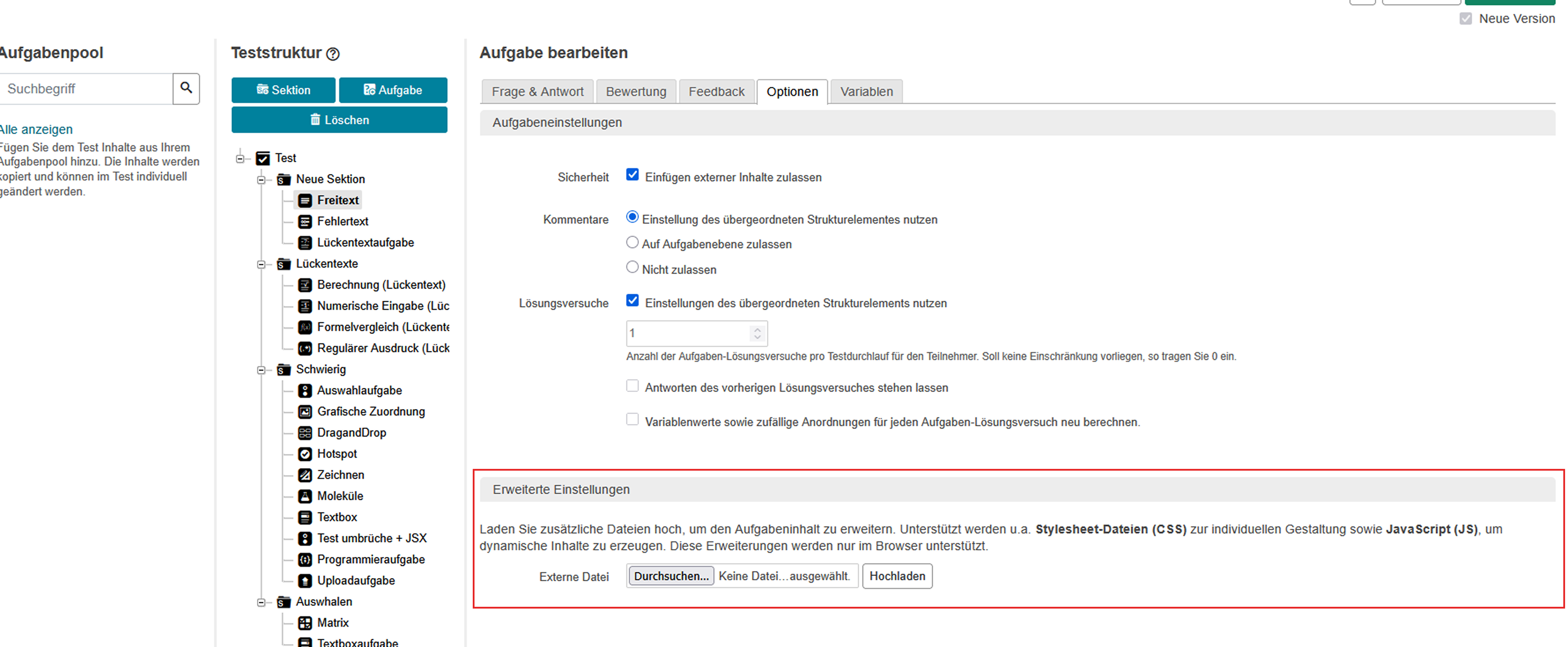
Below you will find information on changing the course layout using stylesheet (CSS) and Javascript (JS) files.
Adding stylesheet files
Edit question: Options > Extended Settings