Guidebook
Generator of an Accessibility Statement
LMS Check
  • Text Content
    • General Information on Texts
    • Headings
    • Paragraphs
    • Quotations
    • Lists
    • Tables
    • Cross-references
    • Links
    • Formulas
    • Code
  • Color
    • Use of Color
    • Contrast of Texts
    • Contrast of Buttons and Graphics
  • Images and Graphics
    • Informative and Functional Images
    • Decorative Images
  • Audio Elements
    • Formatting Audio Elements
    • Media Alternatives for Audio Elements
    • Mediaplayer
  • Video and Animation
    • Videoplayer
    • Caption
    • Audiodescription
    • Full-Text Alternative
    • Embed Video
  • Interactive Elements
    • Accordeon
    • Interactive Image
    • Map
    • Buttons
    • Form Fields
    • Custom Elements
    • JSX-Graph
  • PDF
    • Export PDF Document
    • Post-Processing with Adobe Acrobat Pro
    • Accessibility Check
  • Course layout
    • Stylesheets (CSS)
    • Scripts (JS)
  • Accessibility Testing
  • Upload Accessibility Statement to LMS
    • Create
    • Update

Map

The following criteria are taken from the checklist:
  • There is a media alternative for navigation maps that describes the content (for example address or directions).

Digital and interactive maps, for example from OpenStreetMap, cannot be recognized by assistive technologies. To ensure that they can still be used by blind and visually impaired people, important content of the map should be described as text.
The colors of texts are sometimes difficult to read.

Create Media Alternative

  • Title of the map: start with “Map”, for example “Map of ...” or “ Map with location of ...”
  • Form: text or other accessible media
  • Place: directly below or next to the map
  • Content: specify the address, directions or prominent places in the area

Insert Media Alternative

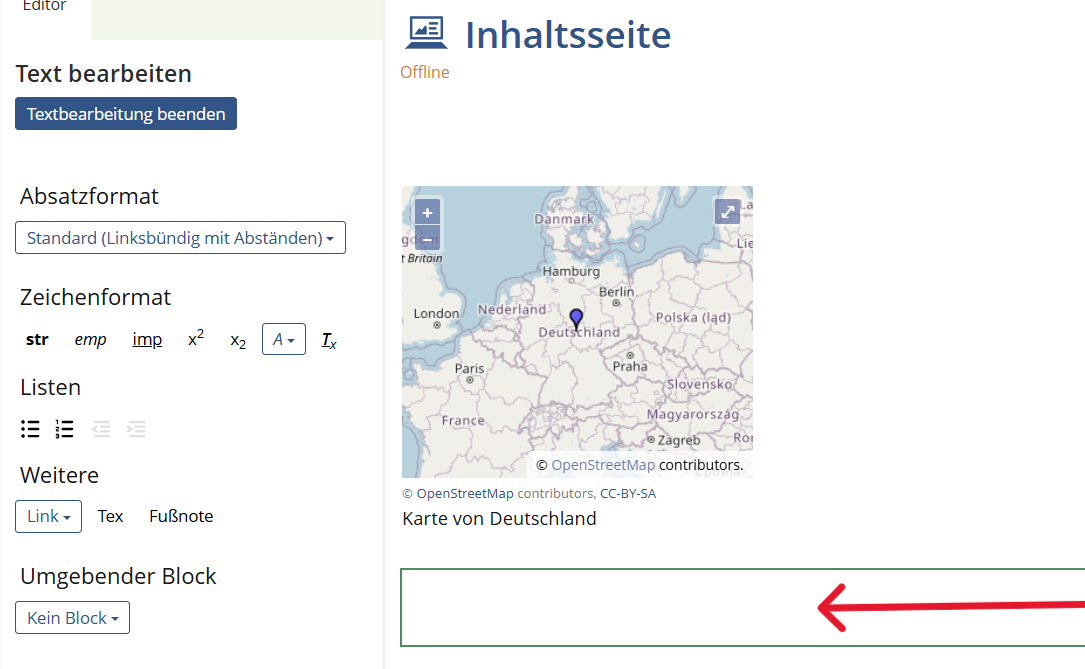
  1. Click on the plus sign directly below the card and select "Insert text".
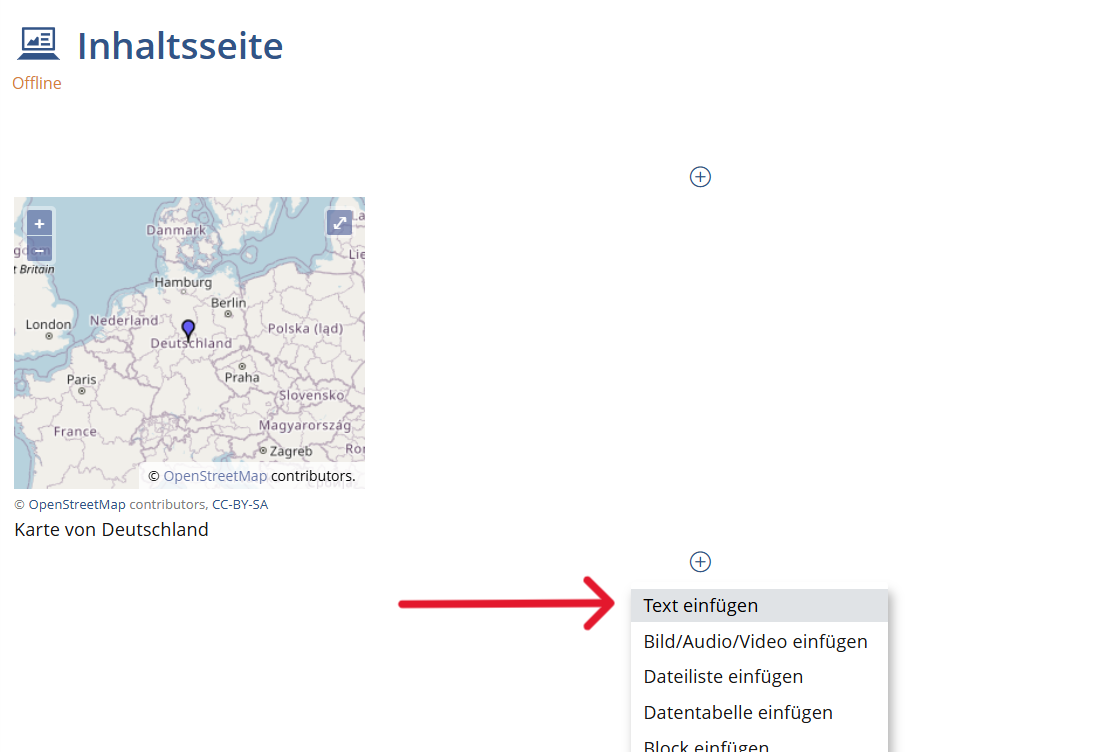
  2. Insert the address or directions. For further formatting, use the format templates from the "Edit text" section. Finally, click on "Save".
State emblem of the Free State of Saxony: The lettering “Saxony” in black, below the stylized coat of arms of the Free State of Saxony in black on a white background. This measure is co-financed by tax funds on the basis of the budget approved by the Saxon state parliament.

v.0.11.1 - beta

  • Legal Notice
  • Data Protection
  • Accessibility
  • Checklist
  • Guidebook