Code
- Text-background contrast is sufficient: at least 4.5 : 1 for small font and 3 : 1 for large font.
- The program code is not provided for download.
Parts of the program code that are highlighted in color must also be easy to recognize for visually impaired people. Further information on this can be found in the entry for Colors .
The download link does not contain the format of the file to be downloaded and is therefore not meaningful for blind people.
Barriers- With the specified programming language, some variables have links that search for explanations of them. However, the link texts do not contain any information about where they lead to and are therefore not meaningful.
- Although a foreign language can be selected, it is not marked for assistive technologies.
- In AULIS (ILIAS version 8.17) the color contrasts of colored highlights are insufficient.
Create program code
-
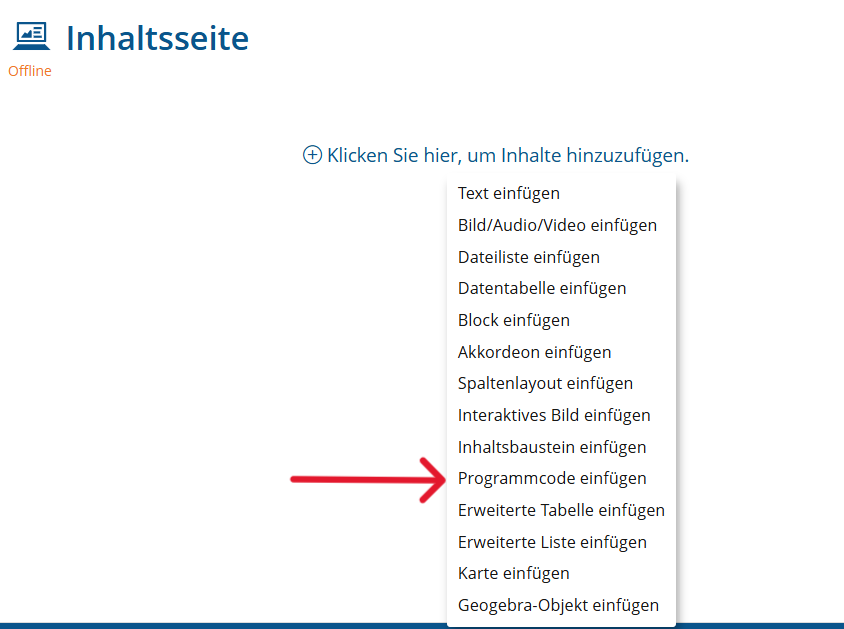
Click on the plus sign and select "Insert program code"
-
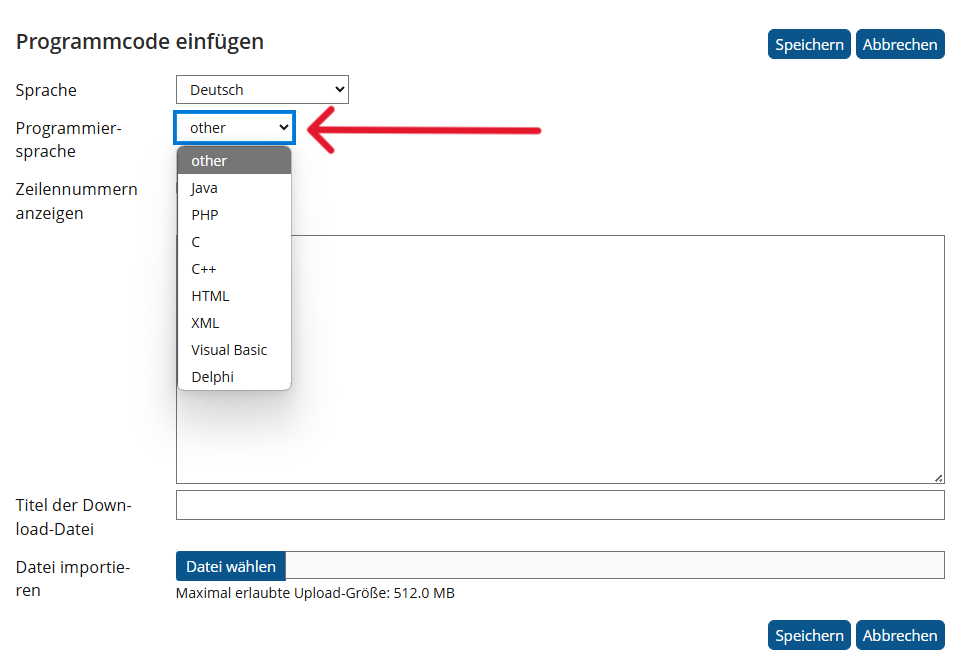
Wählen Sie "other" als Programmiersprache aus. Dadurch werden keine Links angezeigt, die nicht barrierefrei sind.
-
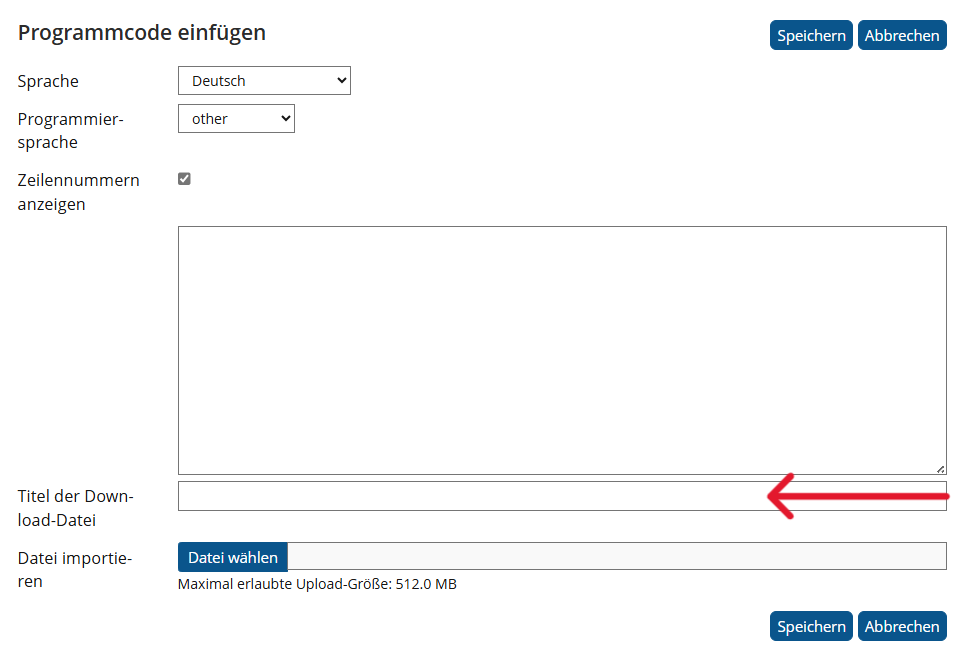
Lassen Sie den Titel für die Download-Datei leer. Damit wird der Programmcode nicht zum Herunterladen bereitgestellt und der nicht barrierefreie Download-Link nicht angezeigt wird.
- Text-background contrast is sufficient: at least 4.5 : 1 for small font and 3 : 1 for large font.
Parts of the program code that are highlighted in color must also be easy to recognize for visually impaired people. Further information on this can be found in the entry for
Colors
.
          <pre>
            <code>
            class HelloWorld {
              public static void main(String args[]){
              System.out.println("Hello, World");
              }
            }
            </code>
          </pre>