Headings
- Headings are labeled with appropriate tags, nested correctly acording to the heading levels and describe the following content.
Headings are used to structure content: related paragraphs are grouped and the content is easily manageable. Users who cannot see a purely visual distinction between headings and other texts depend on the structure being accessible independently of the presentation. By using headline elements, these can not only be interpreted as such by assistance systems (e.g. screen readers), tables of contents can also be generated and the presentation can be adapted to special needs.
Nesting
proper nesting to group content- Heading 1
- Heading 2
- Heading 3
- ...
- Heading 2
Markup of Headings
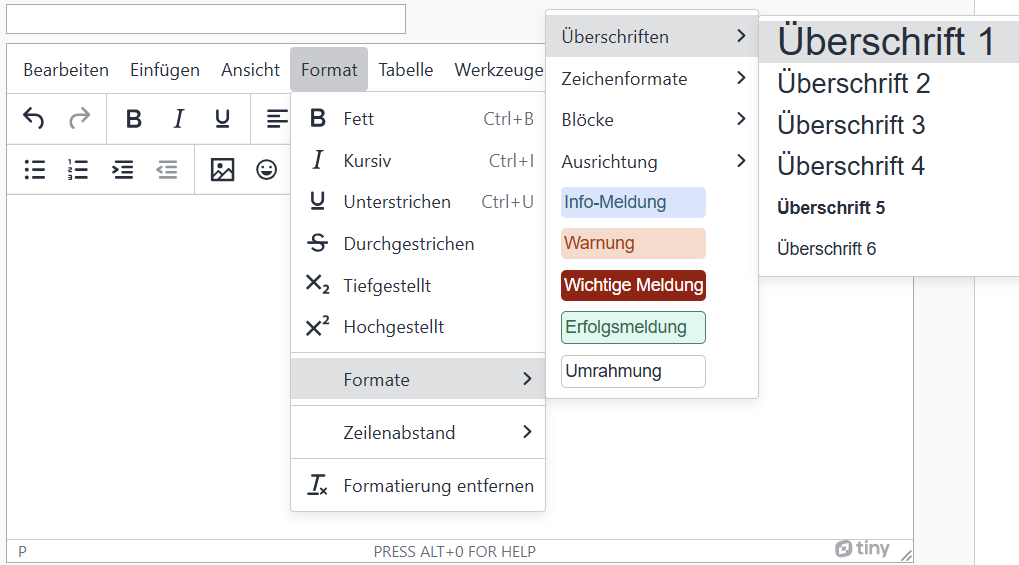
- Headings are labeled with appropriate tags, nested correctly acording to the heading levels and describe the following content.
Headings are used to structure content: related paragraphs are grouped and the content is easily manageable. Users who cannot see a purely visual distinction between headings and other texts depend on the structure being accessible independently of the presentation. By using headline elements, these can not only be interpreted as such by assistance systems (e.g. screen readers), tables of contents can also be generated and the presentation can be adapted to special needs.
Nesting
proper nesting to group content- Heading 1
- Heading 2
- Heading 3
- ...
- Heading 2
Insert Headings
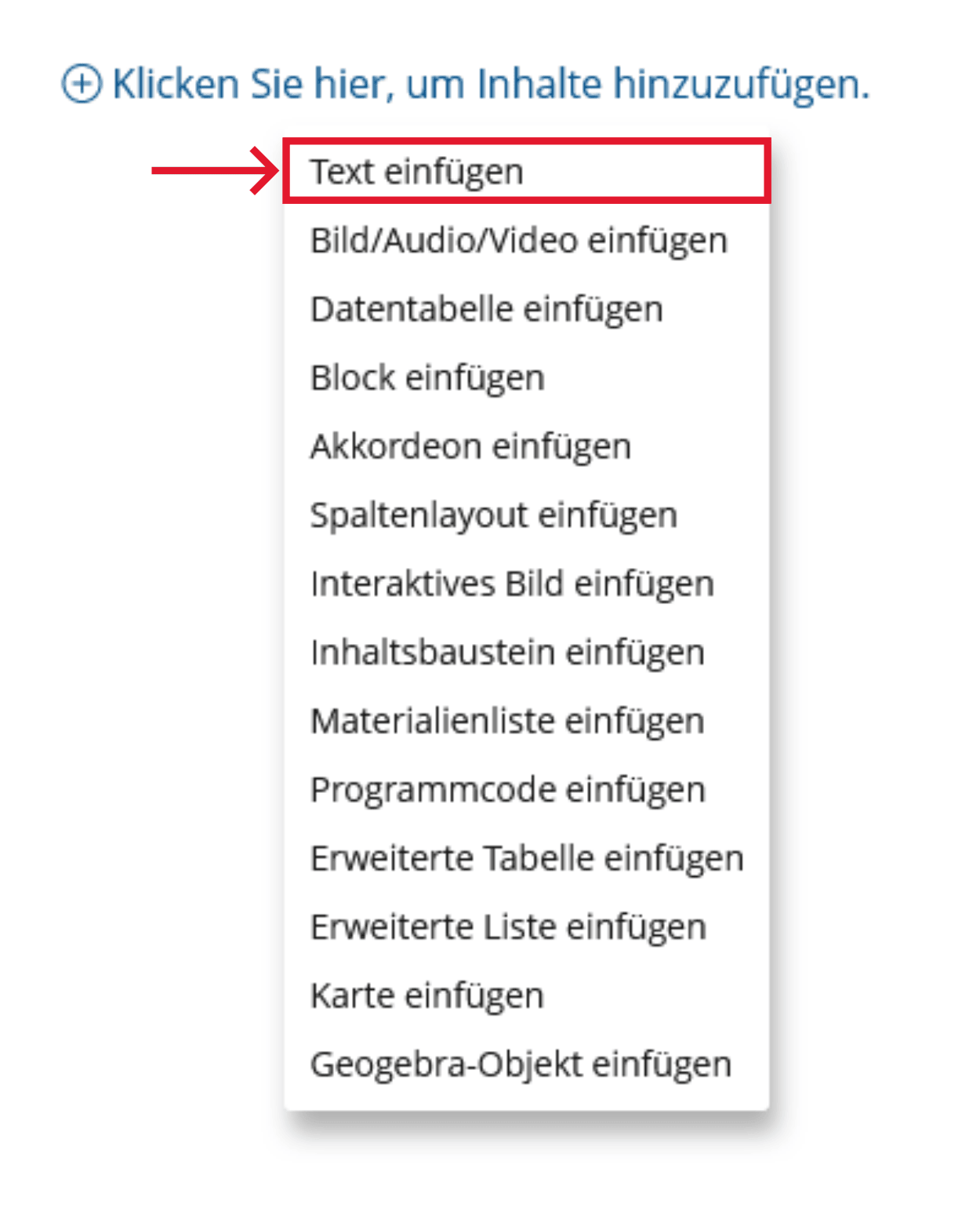
-
Click the plus sign and choose "Insert Text".
-
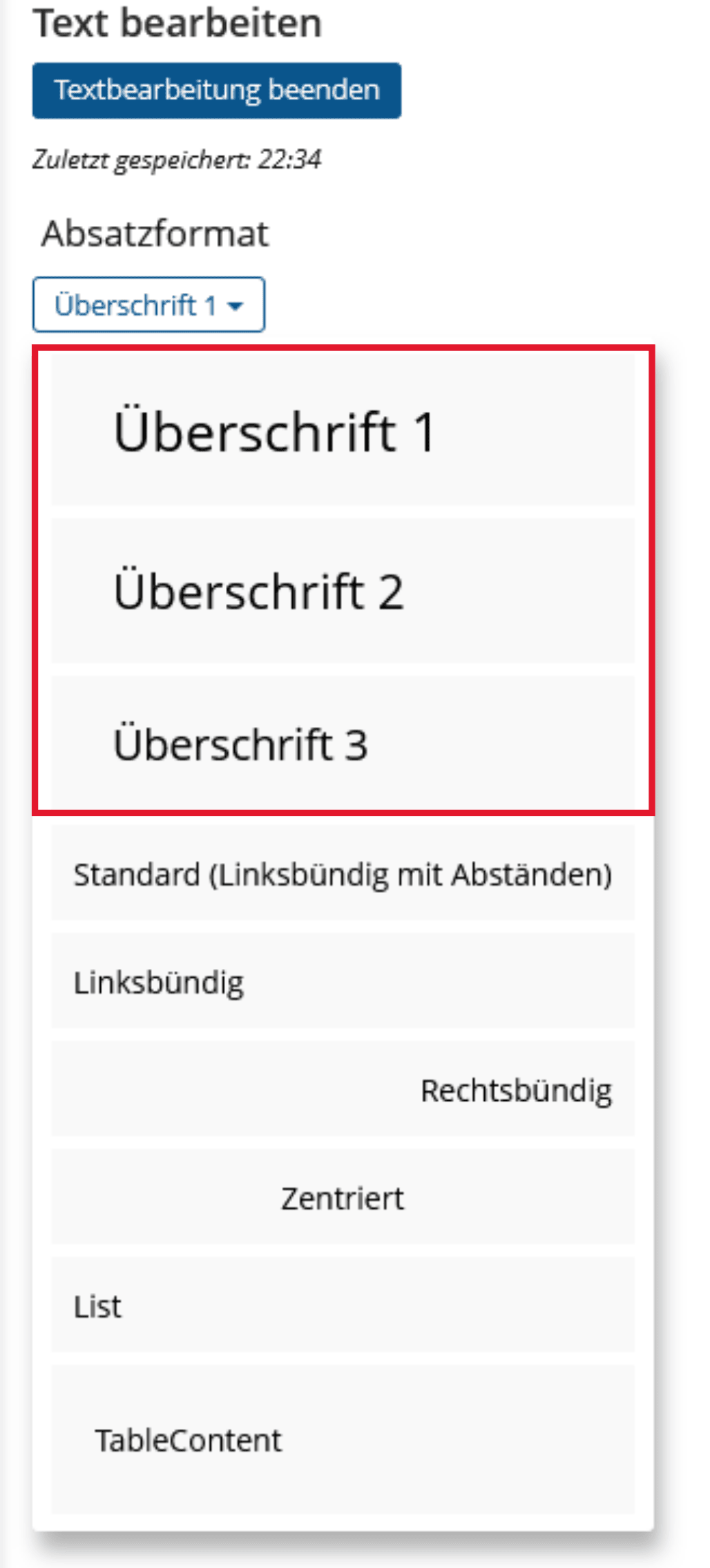
Insert or edit text > Paragraph format > Heading selection
BITV-Guidelines
- Each slide has a unique and meaningful title.
Slide titles are used to briefly and concisely name the content of a slide. In addition, the slide titles are used by users of the voice output for navigation and orientation within the presentation. They should therefore be different for each slide.
Realization of the criteria
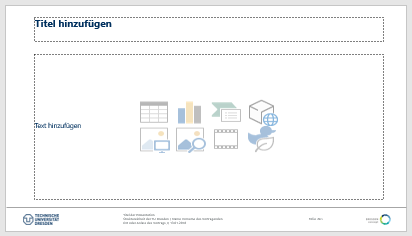
Enter the slide title in the appropriate place on the slide layout. Otherwise the heading wont be marked as such.
Additional Information
BITV-Guidelines
- Headings are labeled with appropriate tags, nested correctly acording to the heading levels and describe the following content.
Headings are used to structure content: related paragraphs are grouped and the content is easily manageable. Users who cannot see a purely visual distinction between headings and other texts depend on the structure being accessible independently of the presentation. By using headline elements, these can not only be interpreted as such by assistance systems (e.g. screen readers), tables of contents can also be generated and the presentation can be adapted to special needs.
Nesting
proper nesting to group content- Headings are correctly marked with <H1> to <H6> according to the heading levels and describe the corresponding section meaningfully.
Headings are used to structure content: related paragraphs are grouped and the content is easily manageable. Users who cannot see a purely visual distinction between headings and other texts depend on the structure being accessible independently of the presentation. By using headline elements, these can not only be interpreted as such by assistance systems (e.g. screen readers), tables of contents can also be generated and the presentation can be adapted to special needs.
- Heading 1
- Heading 2
- Heading 3
- ...
- Heading 2
Markup of Headings
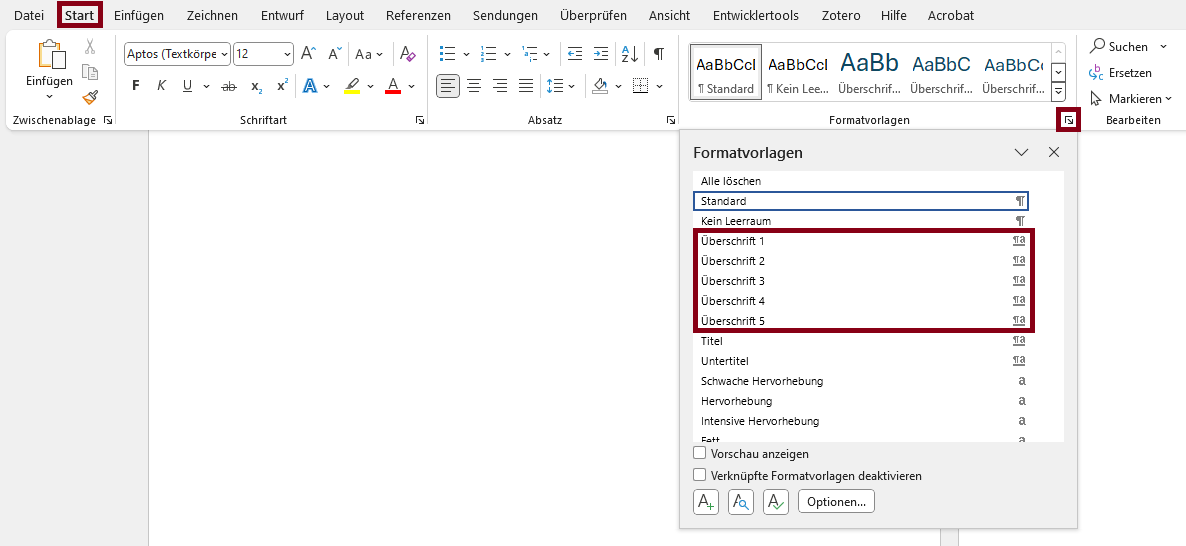

- Headings are correctly marked with <H1> to <H6> according to the heading levels and describe the corresponding section meaningfully.
Headings are used to structure content: related paragraphs are grouped and the content is easily manageable. Users who cannot see a purely visual distinction between headings and other texts depend on the structure being accessible independently of the presentation. By using headline elements, these can not only be interpreted as such by assistance systems (e.g. screen readers), tables of contents can also be generated and the presentation can be adapted to special needs.