Lists
- Lists: Enumerations and numberings are marked as such.
Lists are often hierarchical structures. In order to make them more than just visually appropriate, they need to use structural elements or styles to create them. This allows users of assistance systems to skip lists or individual entries, as well as create another presentation that suits them better.
Markup of Lists
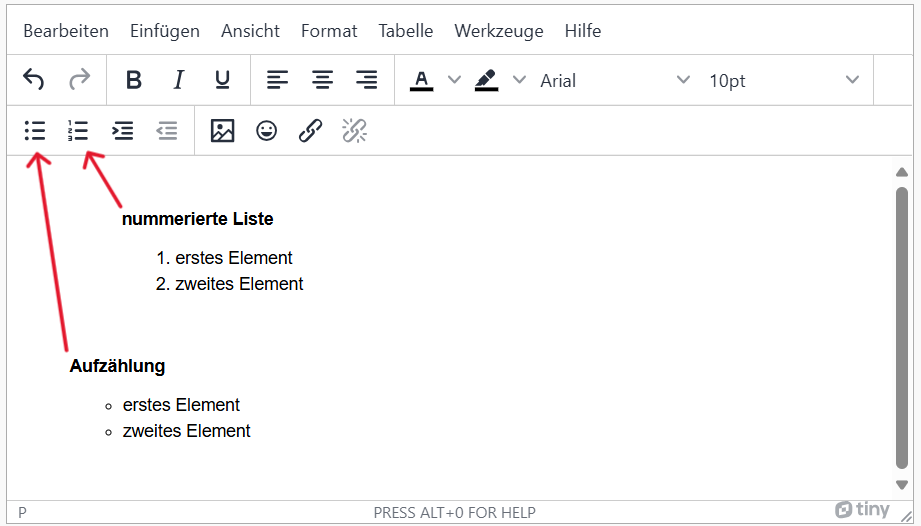
- Lists must be marked with the list function, not just with 1.2.3. or indents (e.g. "-").
Lists are often hierarchical structures. In order to make them more than just visually appropriate, they need to use structural elements or styles to create them. This allows users of assistance systems to skip lists or individual entries, as well as create another presentation that suits them better.
Insert list
-
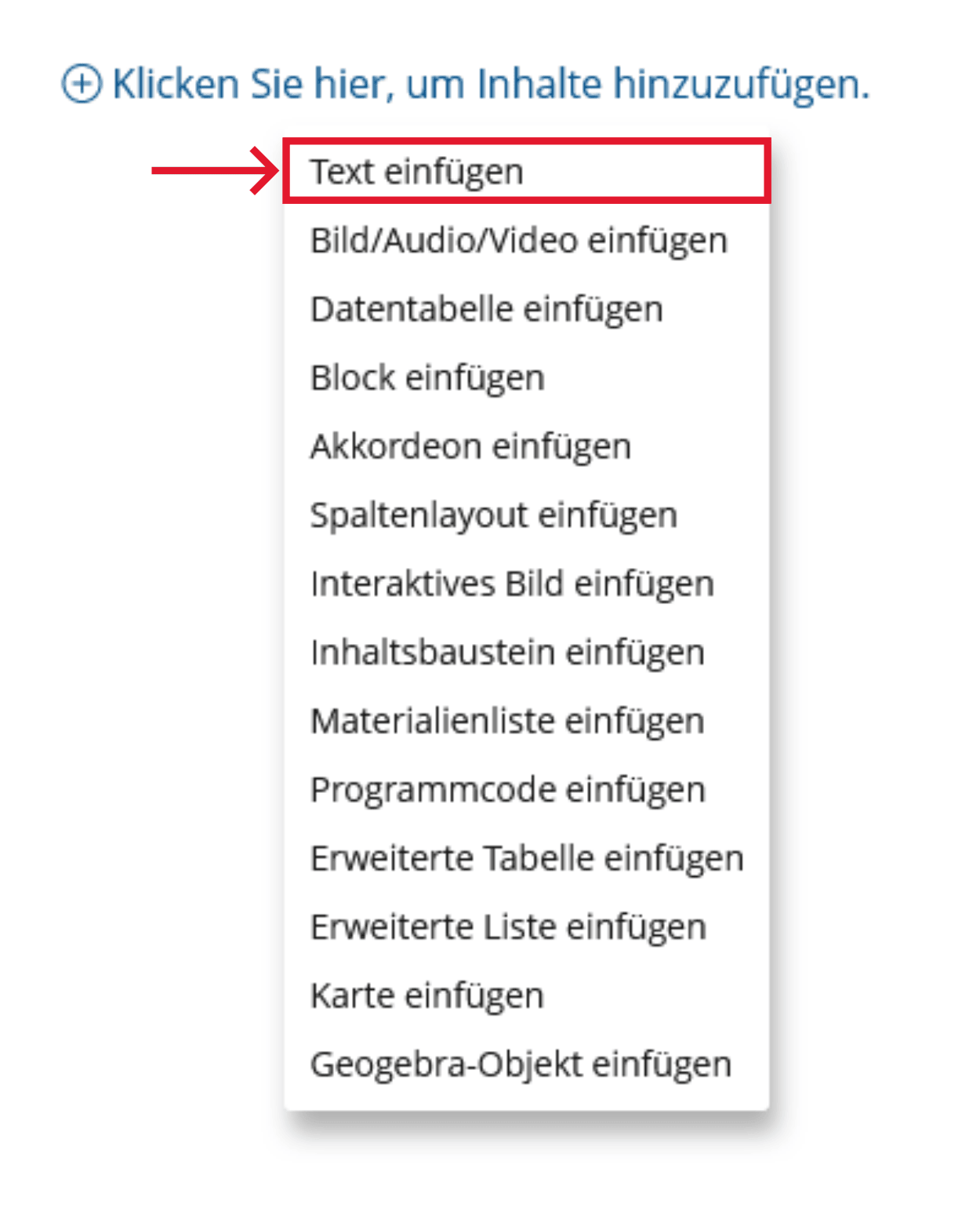
Click the plus sign and choose "Insert Text".
-
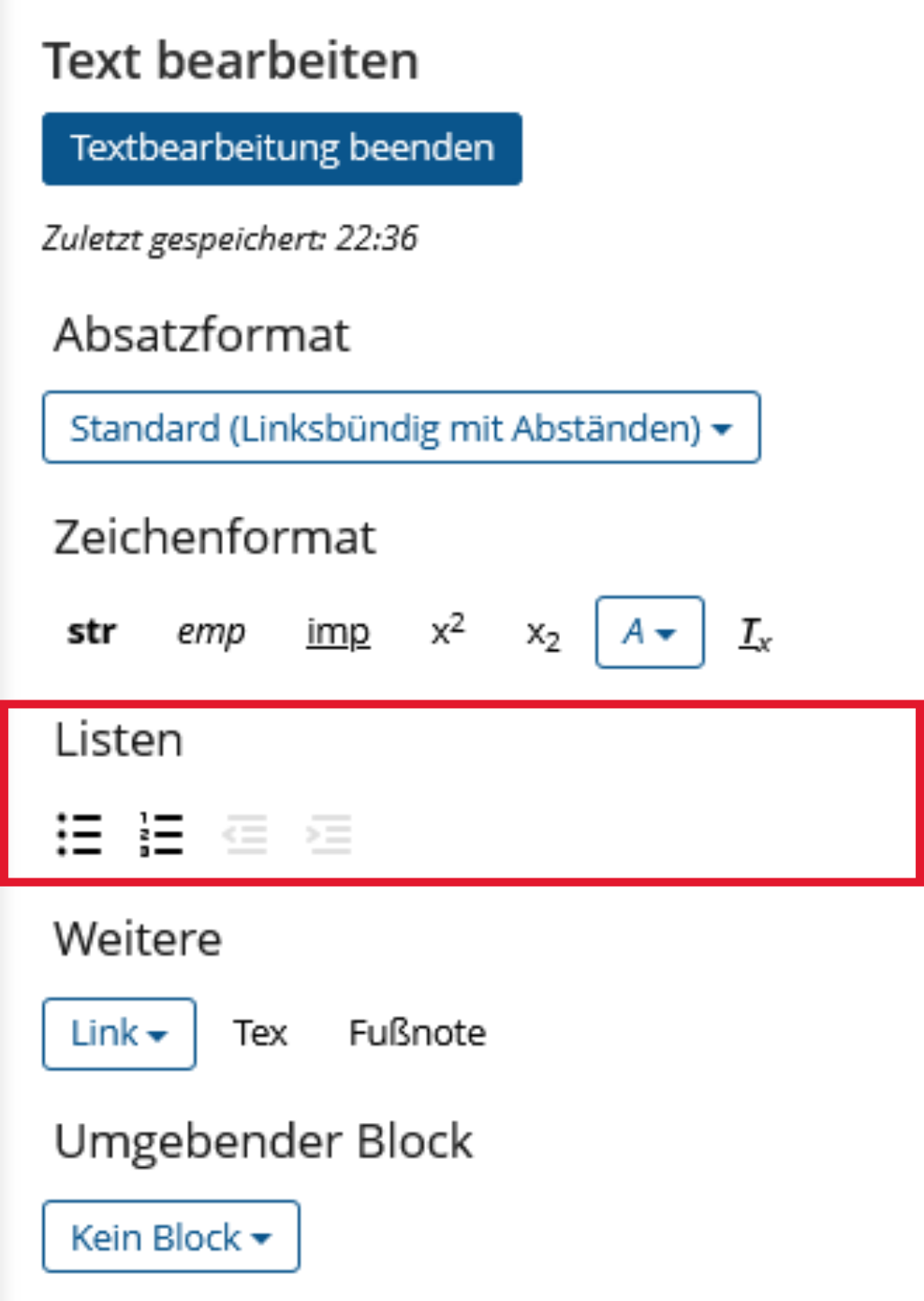
Under "Lists", select Bulleted or Numbered List and enter your text. Finally, go to "Finish text editing".
Insert advanced list
An advanced list is a list that can contain other content modules, such as images or videos, in addition to text.
-
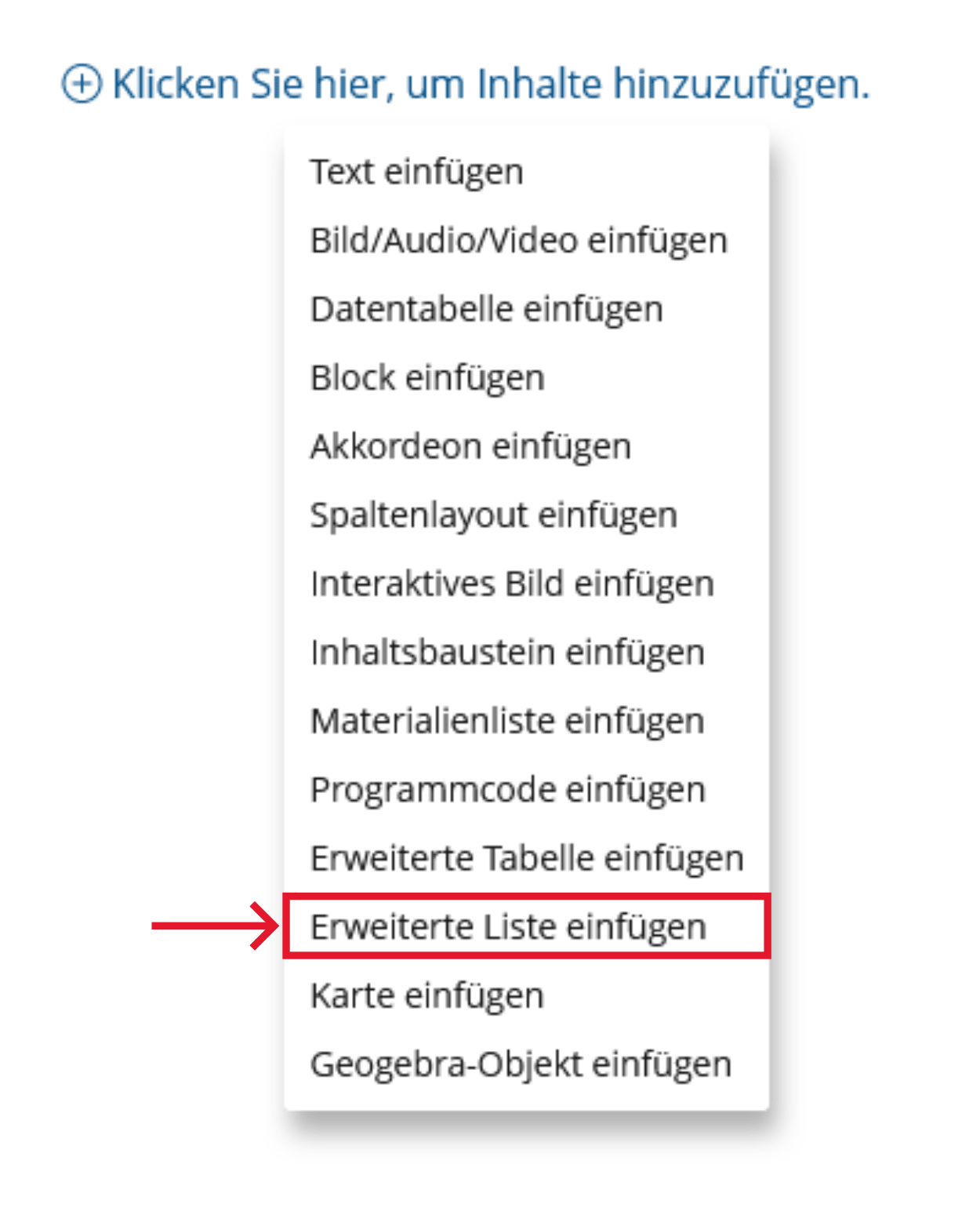
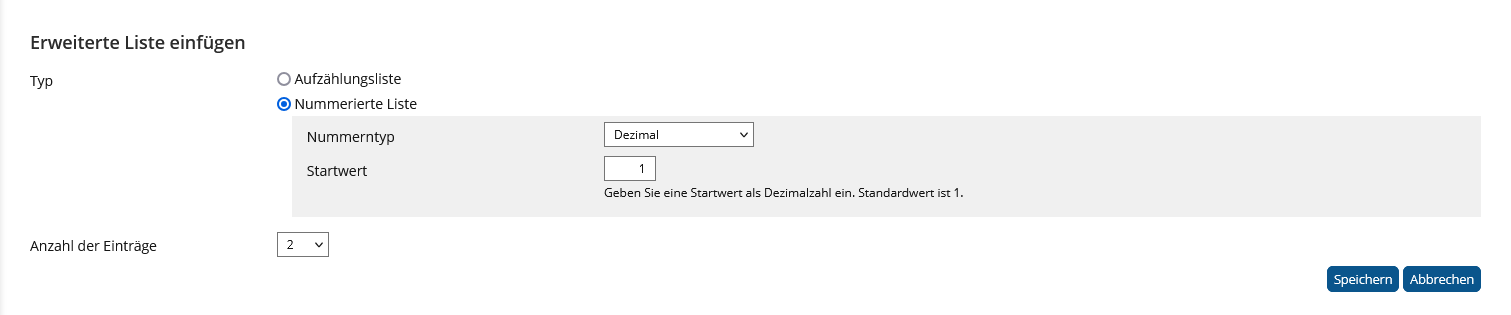
Click the plus sign and choose "Insert advanced list".
-
Choose "Enumerated list" or "Numbered list". For "Numbered list", you can specify a number type and a starting value. Finally, select "Save".
- Lists: Enumerations and numberings are marked as such.
Lists are often hierarchical structures. In order to make them more than just visually appropriate, they need to use structural elements or styles to create them. This allows users of assistance systems to skip lists or individual entries, as well as create another presentation that suits them better.
Realization of the criteria
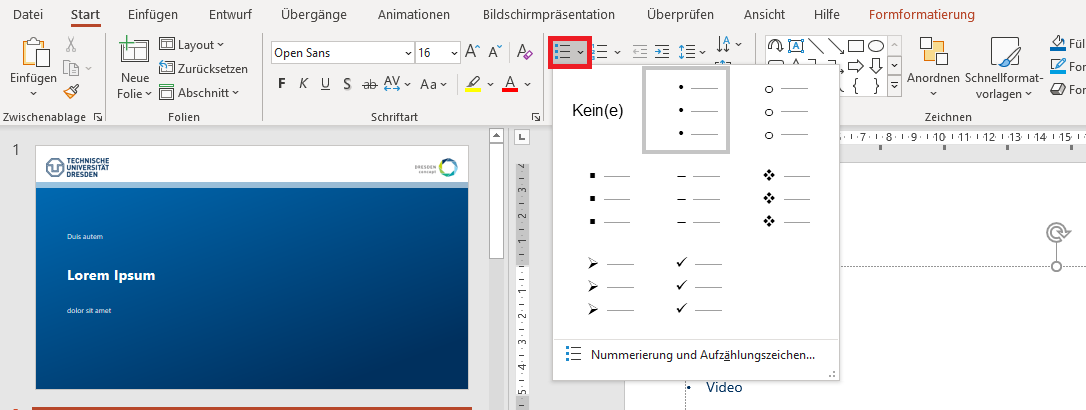
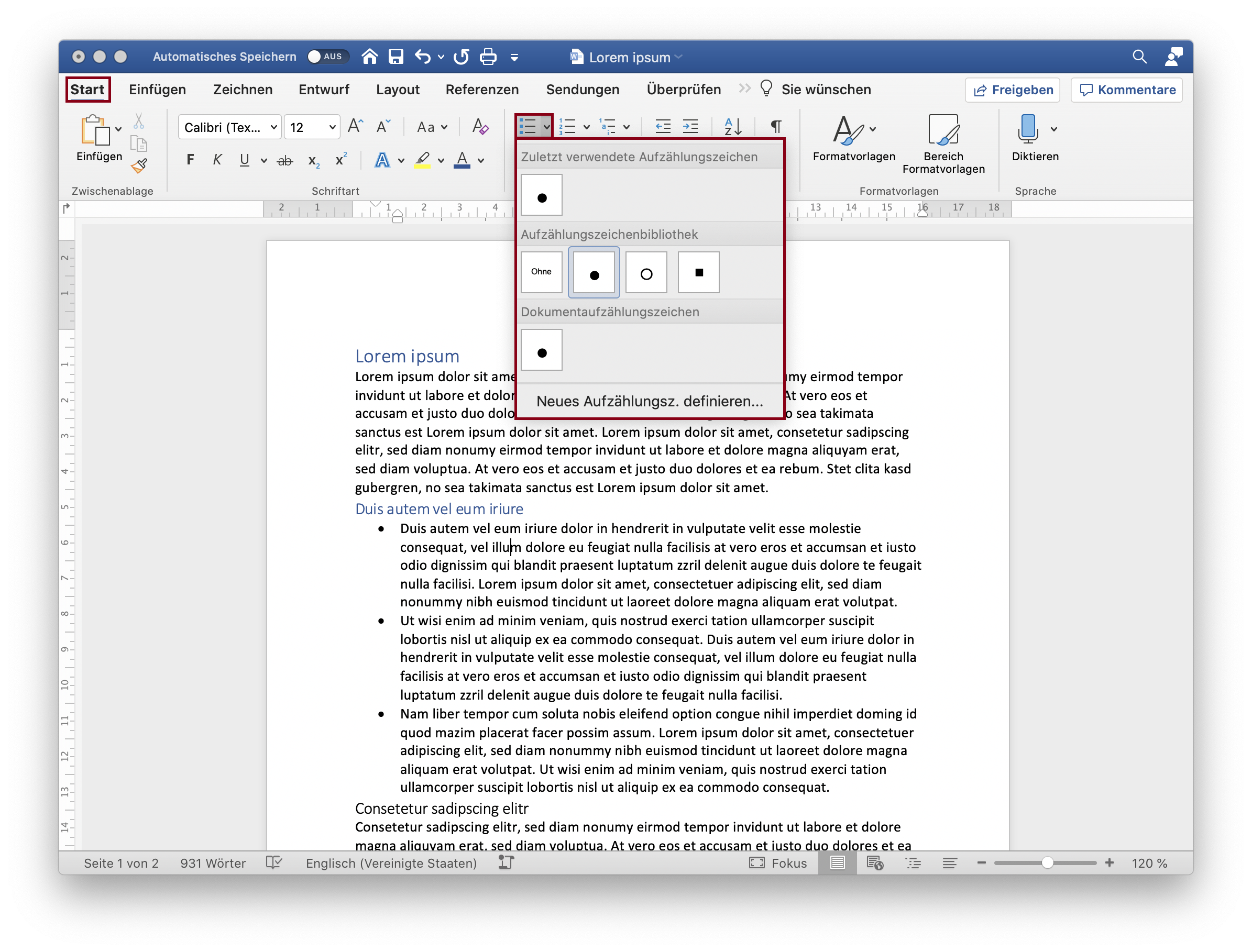
Menu bar: Home > Paragraph > Bullets or Numbering
Additional Information
- Lists: Enumerations and numberings are marked as such.
Lists are often hierarchical structures. In order to make them more than just visually appropriate, they need to use structural elements or styles to create them. This allows users of assistance systems to skip lists or individual entries, as well as create another presentation that suits them better.
Markup of Lists
                          <ol>
                              <li>This is the first item of the ordered list</li>
                                  <ul>
                                      <li>This is the first item of the nested unordered list</li>
                                  </ul>
                          </ol>
                        <dl>
                          <dt>Date</dt>
                          <dd>Calendar entry 1</dd>
                          <dd>Calendar entry 2</dd>
                        </dl>
- Lists and numberings are marked as such. They are tagged using the <L> structural element, with sub-items designated as <LI>.
Lists are often hierarchical structures. In order to make them more than just visually appropriate, they need to use structural elements or styles to create them. This allows users of assistance systems to skip lists or individual entries, as well as create another presentation that suits them better.
Markup of Lists

- Lists and numberings are marked as such. They are tagged using the <L> structural element, with sub-items designated as <LI>.
Lists are often hierarchical structures. In order to make them more than just visually appropriate, they need to use structural elements or styles to create them. This allows users of assistance systems to skip lists or individual entries, as well as create another presentation that suits them better.